
Free Shipping Over $199
Next Day Banner Pickup

Brochures

Create Custom Design

Upload Artwork

Select Fold Type *

Select Size*

Select Size*

Select Size*

Select Size*

Print Qty: 250

Optional Instructions

Total: $0.00

If you want to create your custom design on Canva, Follow these instructions. The instructions are given below:

1: Click on File, which appears on the top left corner after home, and then click on View Settings, and then click on Show Bleach Print. FILE>VIEW SETTING>SHOW BLEED LINE.

2: After When you create your design, you click on Share, which appears in the top right corner, and then click on PDF Print File.

3: After you download the PDF, click on Choose File and upload it here.

If you need more guidance, see below our description and learn about file prep.

File Prep

Step 1

Ensure the file matches the product’s required dimensions. Ensure that the artwork is created in CMYK 300 dpi with 1/8 (0.125) inch bleeds on all sides.
Step 2

Make sure that all images are embedded, and that all the text is outlined.
Step 3

Export all files into PDF format with bleeds.

Download Setup Guide
  1. Download our guides to ensure a more optimal print result.
  2. Be sure to DELETE any hidden layers that are not intended to print (ie: setup guide layers or other hidden artwork layers) to ensure no risk of them appearing on the final print.
  3. Each job (including multiple paged projects) must be submitted as a single PDF file. Ensure that all pages are the same size.
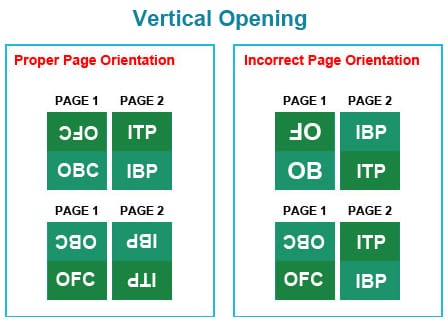
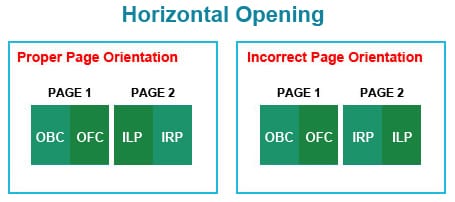
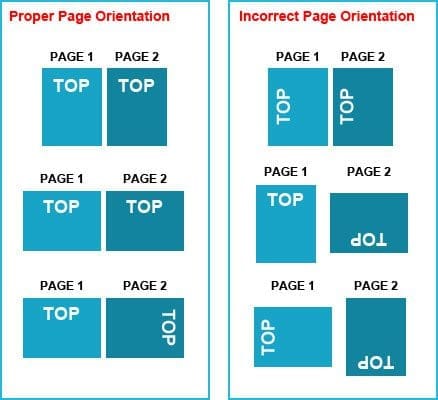
  4. Files must be submitted with proper orientation to ensure proper back up.
  5. It is best to try to avoid using borders in your design. If a border is too close to the trim, the trim may be slightly off-center.
  6. File must consist of 1/8″ bleed and all important art and text must be within the safety margin.
  7. Ensure that your PDF is high res and that all images are CMYK at 300 DPI.
  8. Black type should have the following values: C0, M0, Y0, K100.
  9. Embed or outline all fonts.
  10. For best colour results, supply a CMYK only files.

Frequently Asked Questions (FAQs)

1. What Folding Options Do You Have For Pamphlets?

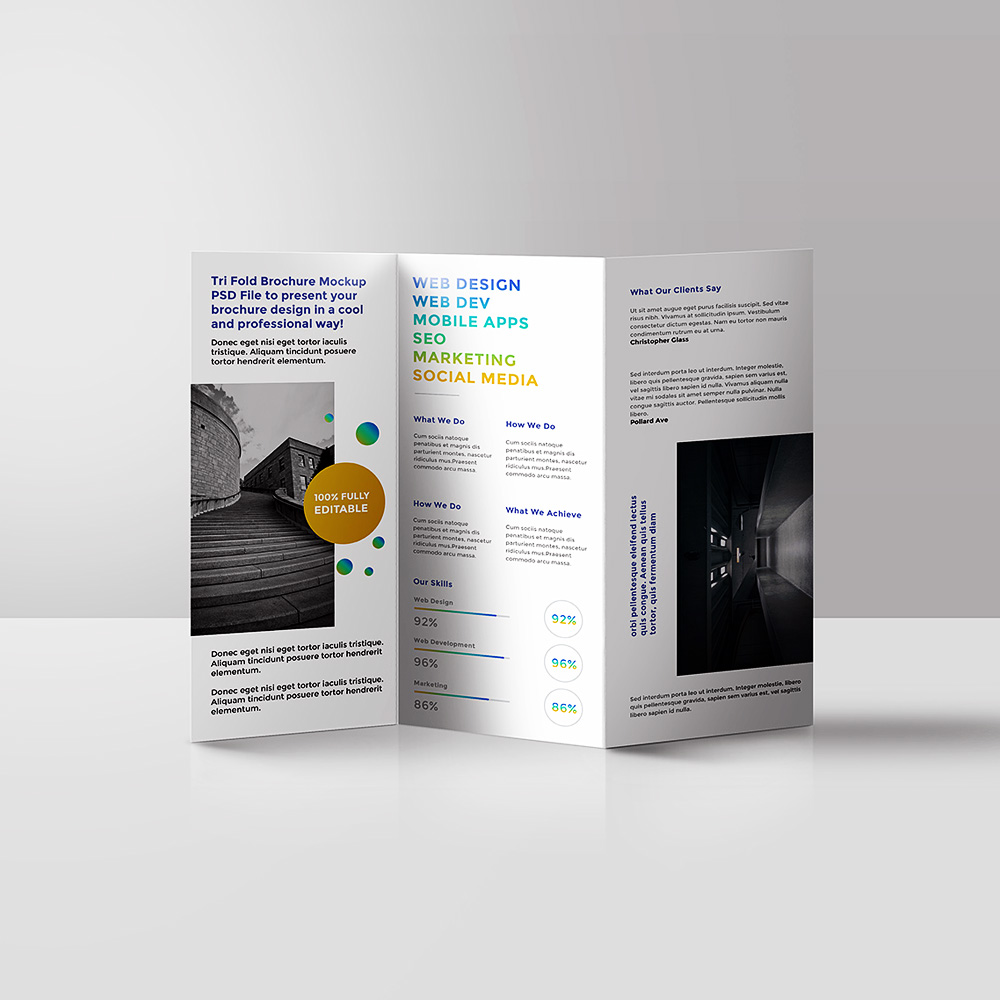
We have different folding options for your brochures, like tri-fold, bi-fold, and custom folds. Whether you want something simple or a more creative design, we can help you choose the best fold to show your message clearly.

Yes! You can choose to print on one side or both sides of the brochure. Printing on both sides lets you add more details or images, giving your brochure a complete, professional look.

Our brochures are printed on high-quality paper. You can pick from gloss, matte, or uncoated finishes, depending on what fits your style and brand best.

Yes, definitely! Our brochures can be fully customized. You can match your brand’s colors, logo, and design to keep your marketing materials consistent and professional.

We offer fast printing and delivery. You can get your brochures printed and delivered on the same day or the next day, so you won’t have to wait long.

Reviews

There are no reviews yet.

Be the first to review “Brochures”

Your email address will not be published. Required fields are marked *

Scroll to Top
0